Save money, reduce your stock bill

  • Track products used / sold to only buy what you need
  • Set stock limits to create smart orders & keep control
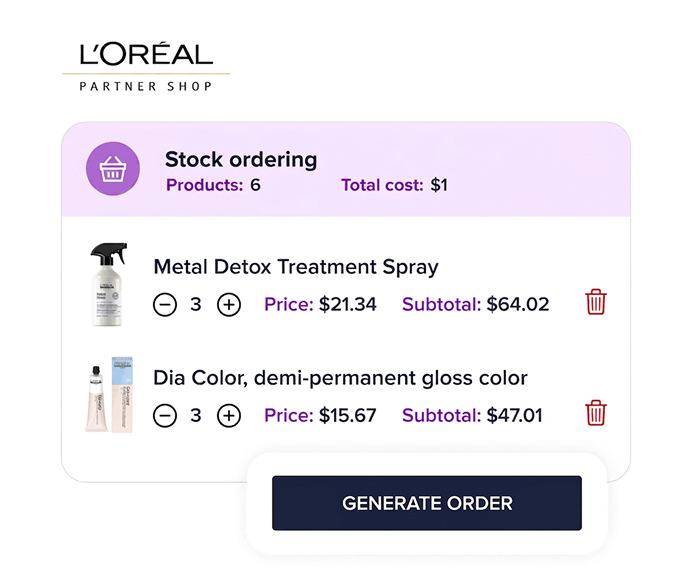
  • Save time on L'Oréal orders with PartnerShop integration

Reduce your stock bill by 15%

Stock Management

Easy stock management

  • Track products used and sold so you are in control of your stock bill
  • Pre-loaded with 30+ brands to make your life easier
  • Filter by brands or type of product (e.g. color, retail, or styling tools)
L'Oréal Integration

Save time with L'Oréal Partnershop

  • Unique integration with PartnerShop saves hours on ordering
  • Slick is pre-loaded with all LPPD products. Simply scan to add!
  • Create your order in Slick then simply upload your order to PartnerShop
Stock App

Scanning on the go

  • No more expensive scanners tied to the register. Scan on the go with our App
  • Scan used colors or products in the stock room for error-free stock contol
  • Add new products or scan retail products at checkout to save time

Scanny App - How it works

Turn your iPhone into a barcode scanner with our smart app!

1. Pre-loaded with 30+ brands
2. Add new products with ease on your phone
3. Scan products to mark as used or sold

Cut your stock bill with Slick!

Stock Ordering

Reduce your stock bill

  • See your stock "used / sold" over any date range
  • Track cost of products "used / sold" as well as your orders
  • Set Min and Max quantities to ensure you order correctly
Cost Management

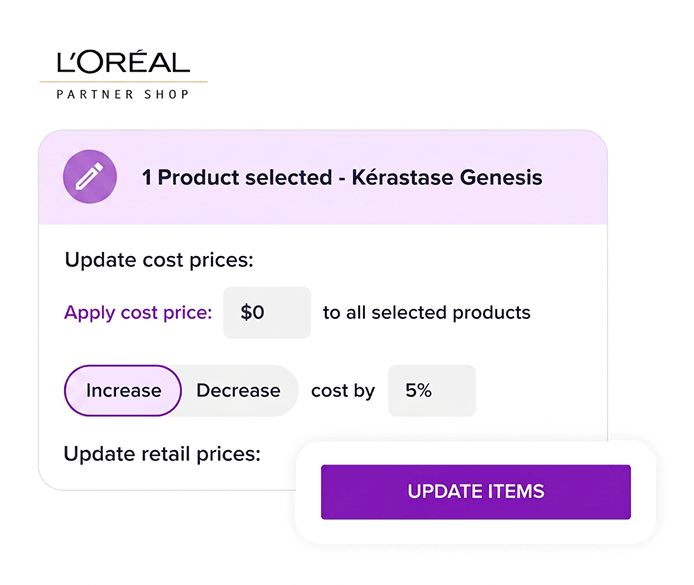
Price rise? We've got you!

  • Updating 000s of products one by one takes hours!
  • Manage % price or cost increases in a few clicks with Slick
  • Apply price increases to certain brands or product groups with ease

Other features you’ll love

Trusted by over 10,000 salon professionals

Seamless payments from bill to cash-up

Trusted by salons and barbers across the US

FAQs

Do you offer customer support & training?

Live one-to-one support is free. Our team is available 7-days a week via Live Chat. Our priority phone team is available 9am-5pm Monday-Friday.
Can you help me set up?

Yes! We will import your data (clients, services, etc.) and set up your account for free to make the switch from your current system stress-free.

Can you import my client database?

Yes. Client data in a .CSV or Excel file can be imported for free.

What do I need to run Slick?

Slick will run on any modern iPad or desktop computer. All you need is WIFI in your salon and an iPad or computer. Our onboarding team will run tests during your setup to ensure Slick runs smoothly in your salon.

What happens if I need to cancel?

We operate a monthly rolling subscription as standard which means you are free to leave at any time. Should you ask for preferential commercial terms that are different to the list price advertised then this will trigger a contract.

We use cookies to improve your experience and analyze how our site is used. This includes essential cookies for site functionality, plus additional analytics and marketing cookies. Select 'Accept' to allow all cookies or view our Privacy Policy for more details.
Book a demo