Fast & error-free payments

  • 2.1% processing fee with next day payouts
  • Save hours on close out and reporting
  • Integrated tipping prompt boosts staff tips by 50%
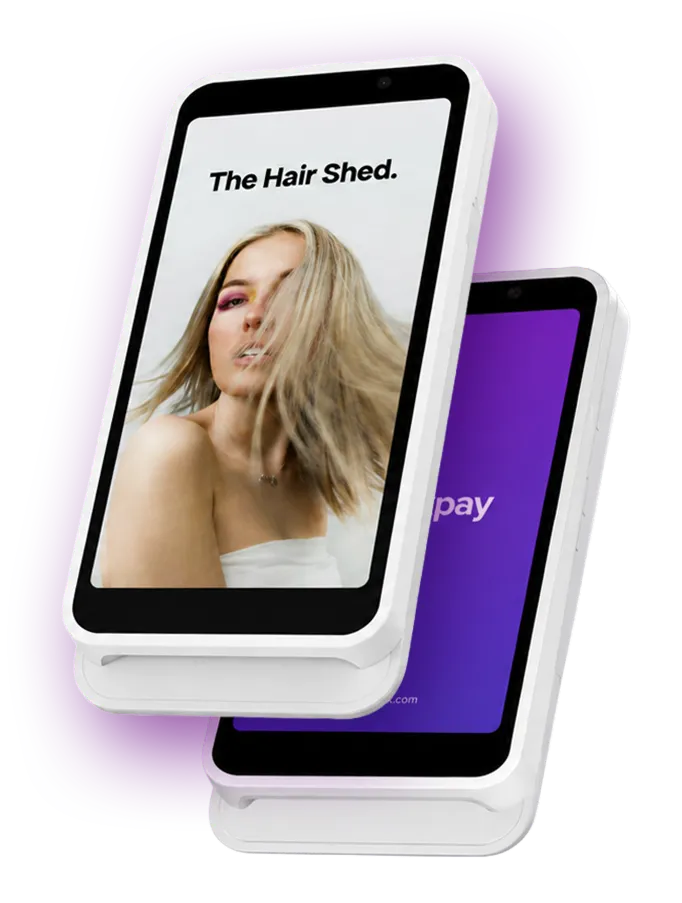
Two white card payment terminals stacked, one showing a screen with a photo of a woman with long blonde hair and text 'The Hair Shed', the other displaying a purple screen with partial white text 'pay'.

Save 10 hours a month with seamless payments

Why SlickPay?

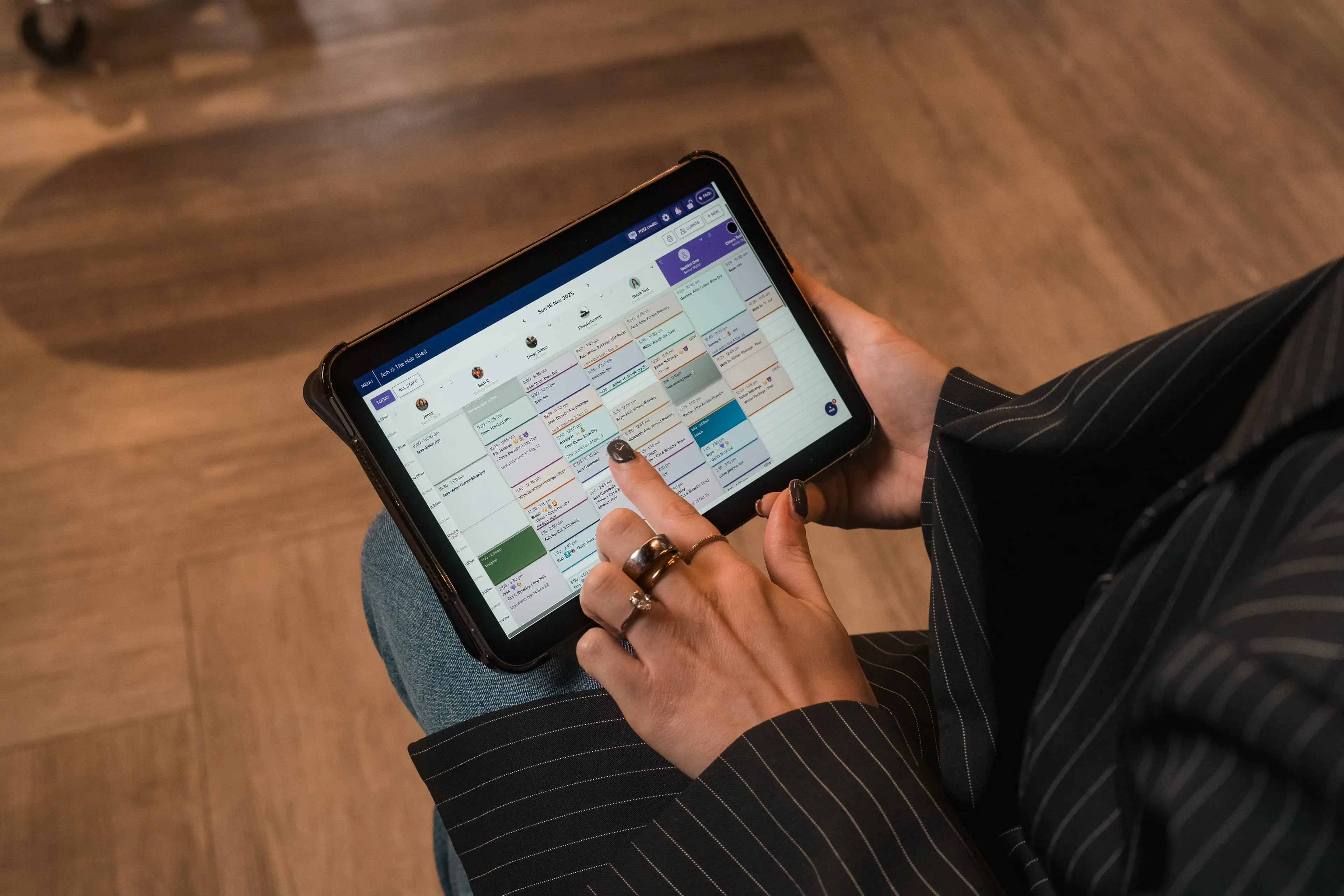
Integrated with your calendar

  • Sync calendar & card reader to speed up checkout
  • Save hours on daily reconciliation and reports
  • Save $180 per month due to manual input errors
Order now
Transparent fees

All inclusive fees & fast payout

  • Get paid next business day & improve cash flow
  • 2.1% processing on credit/debit cards.
  • One rate. No hidden fees. Ever.
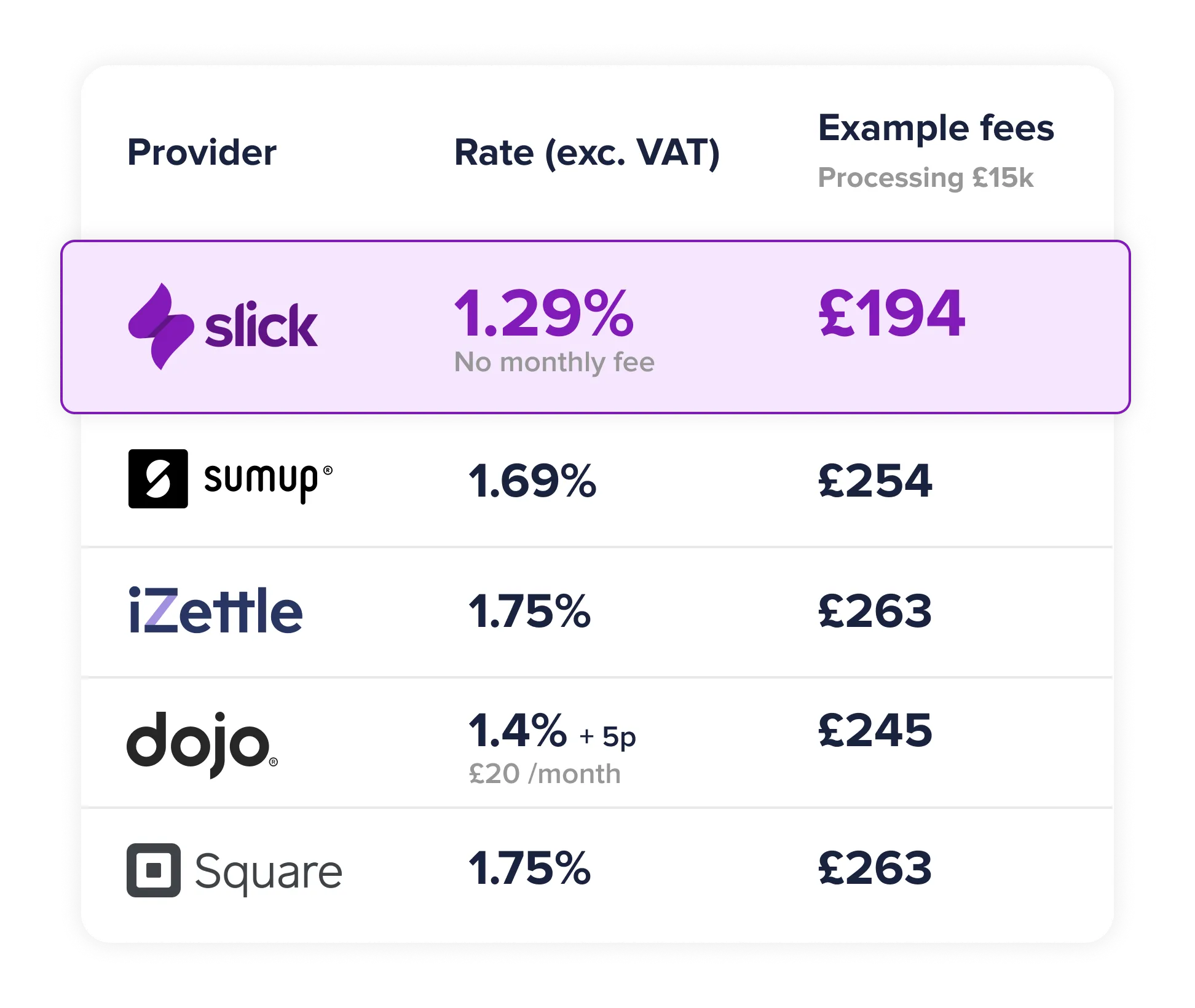
Two women interacting in a modern office space with a laptop open on a desk showing a calendar or scheduling application, one woman smiling and wearing a maroon sweater with long dark hair, the other with blonde hair viewed from behind near a wooden spiral staircase.Comparison table of payment provider rates excluding VAT and example fees for processing £15,000. Providers listed are slick with a 1.29% rate, no monthly fee, and £194 example fee; sumup with 1.69% and £254; iZettle with 1.75% and £263; dojo with 1.4% plus 5p per transaction and £20 monthly fee with £245 example fee; and Square with 1.75% and £263 example fee.

3 reasons why you need SlickPay

1. Connected to your Slick calendar
2. No more end-of-day close out
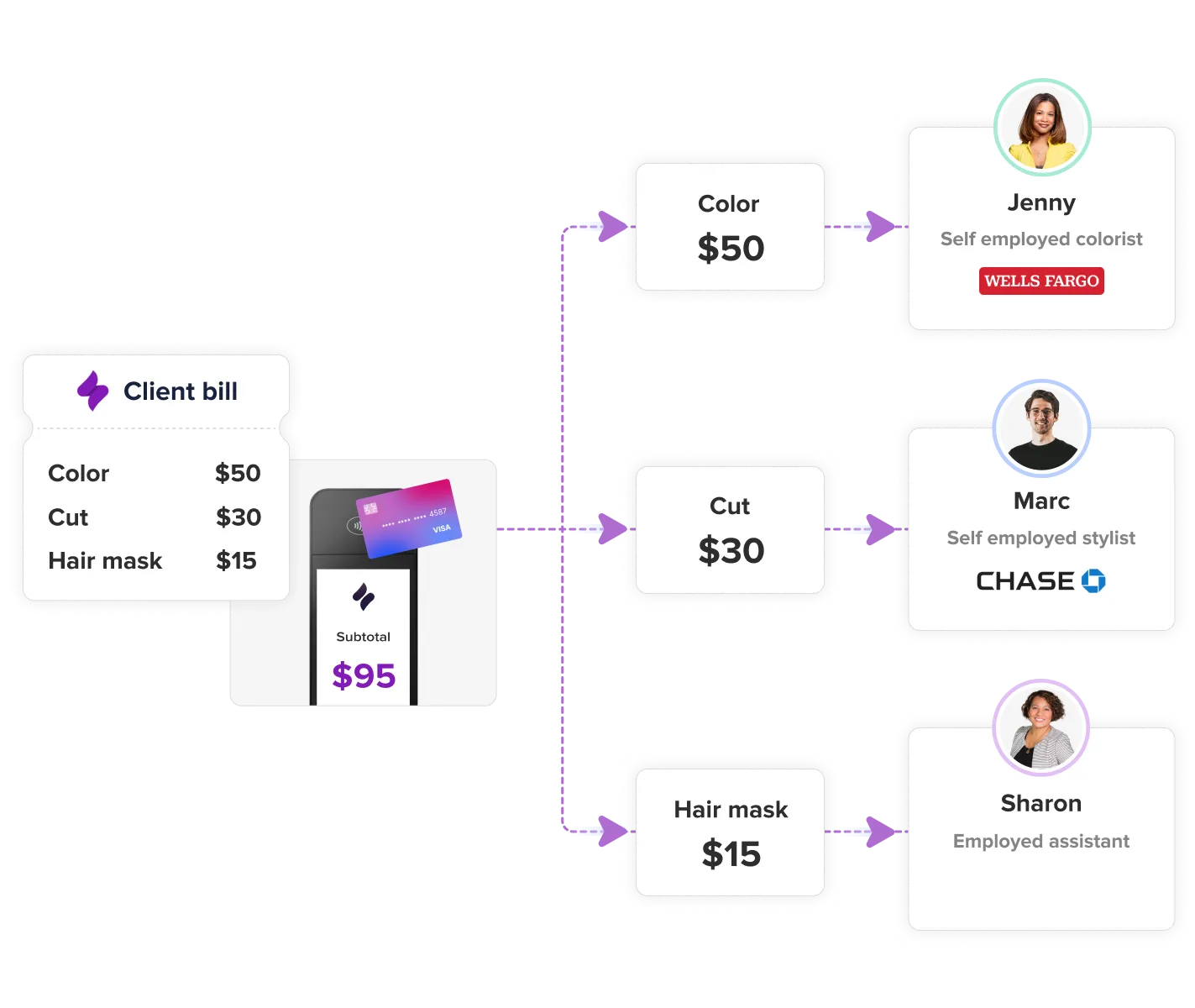
3. Split payments, perfect for booth renters

From next day payouts to affordable and transparent rates, we make payments & accounting hassle free.

Split payments

Employed or Self Employed

  • Customize your set up to suit your employment model
  • Simplify accounting & payroll
  • Pay every stylist correctly, every time

Advanced & Supercharged only

Learn more
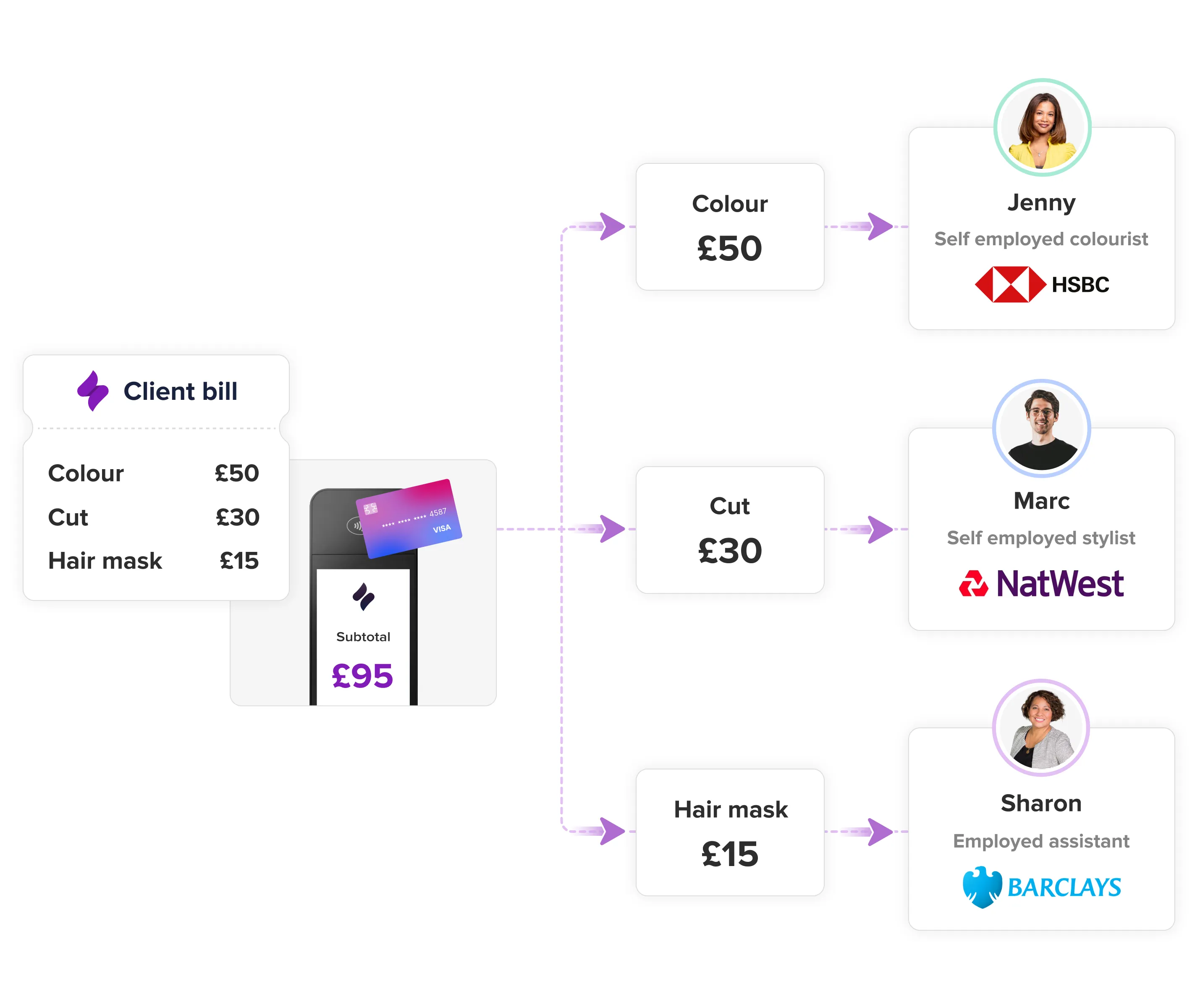
Diagram showing a client bill splitting £95 total into three payments: £50 for colour to Jenny, a self-employed colourist with HSBC; £30 for cut to Marc, a self-employed stylist with NatWest; and £15 for hair mask to Sharon, an employed assistant with Barclays. Each service and amount is linked from the subtotal on a payment terminal with a Visa card.Diagram showing a client bill for hair services totalling $95 with color $50, cut $30, hair mask $15, paid by a credit card. The payment splits to three individuals: Jenny, a self-employed colorist paid $50 via Wells Fargo; Marc, a self-employed stylist paid $30 via Chase; and Sharon, an employed assistant paid $15.
SlickPay card reader

A card reader with WOW factor

  • Start taking payments in less than 5 minutes!
  • Branded with YOUR logo. No ugly card readers here!
  • Speed up checkout by checking your client out in the chair

$179

‍

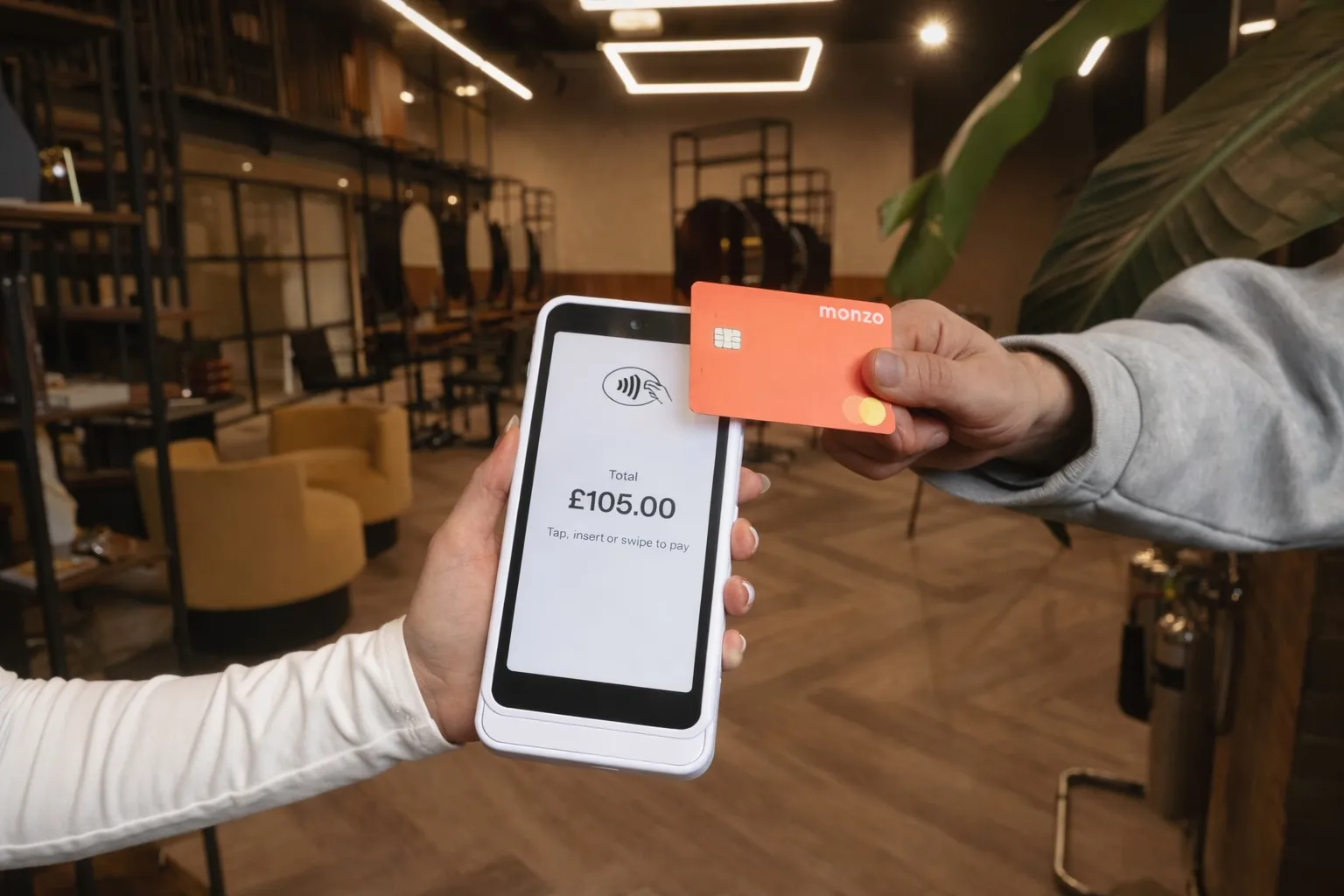
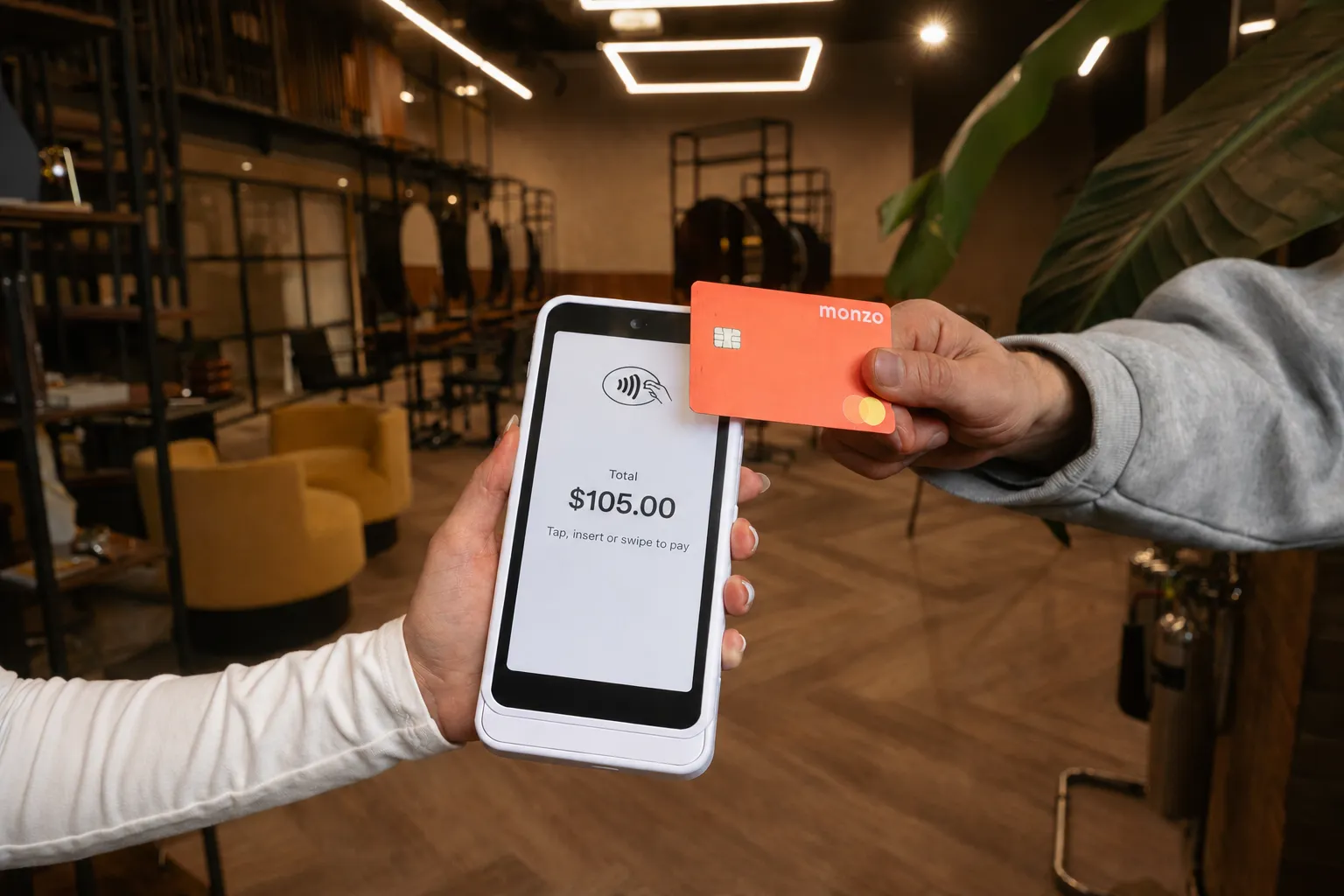
Person holding a payment terminal displaying a total of £105.00 while another person holds an orange Monzo contactless card near the terminal for payment.A person holding a white card payment terminal displaying a total of $105.00 and another person holding an orange Monzo Mastercard card near the terminal to make a contactless payment.
SlickTips

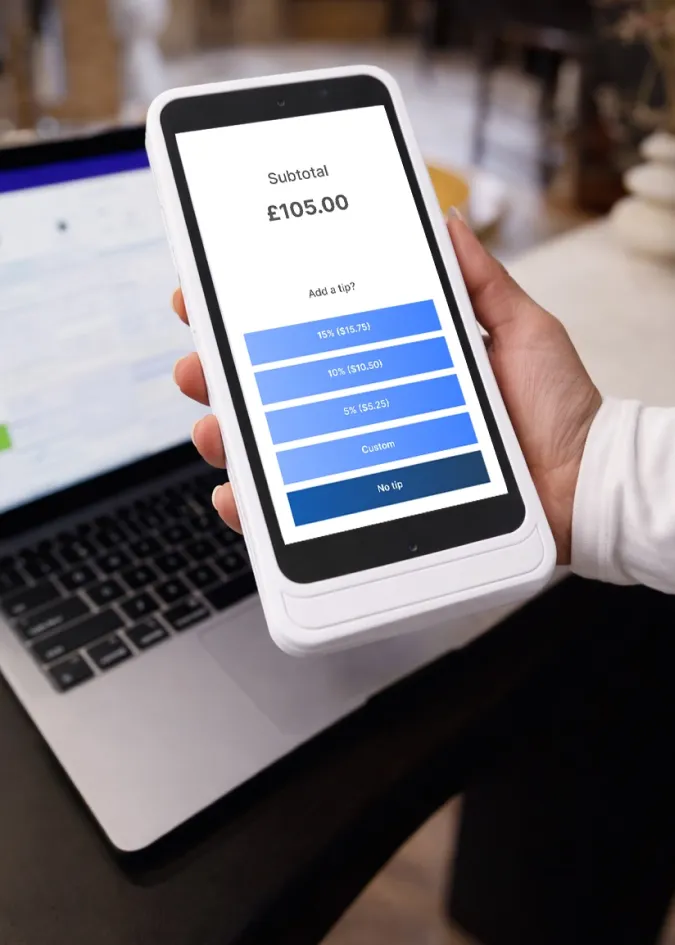
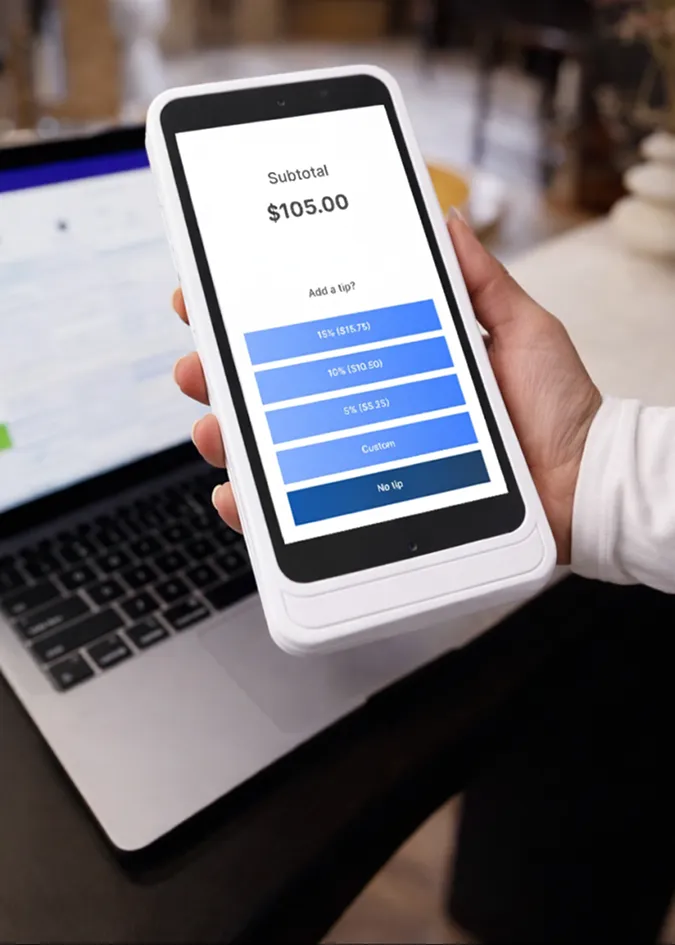
Integrated tipping: No QR codes

  • Tips go directly to each staff member's bank account, automatically
  • On average, staff earn 50% more tips
  • Works for employees and booth renters
  • No annoying QR codes
Learn more about Tipping
Hand holding a white smartphone displaying a payment screen with a subtotal of £105.00 and tip options of 15% ($15.75), 10% ($10.50), 5% ($5.25), Custom, and No tip, with a blurred laptop keyboard in the background.Hand holding a white payment device showing a subtotal of $105.00 and options to add a tip: 15% ($15.75), 10% ($10.50), 5% ($5.25), Custom, or No tip.
Split payments

Booth renter mode

  • 100% of client total sent direct to booth renter
  • They see their revenue only
  • You keep their revenue separate from yours

Advanced & Supercharged plans only

Diagram showing money flow from a client bill of £50 and a client tip of £5 combining to a total payment of £55, with arrows pointing to a self-employed staff member's bank account receiving the full £55, while the business owner receives £0 in their bank account.Diagram showing $55 total payment from client split into $50 client bill and $5 tip, with $55 credited to self-employed staff member's bank account and $0 to business owner.
Split payments

Commission split mode

  • Send each staff member their commission direct to their bank account
  • Your share is sent to the business bank account
  • You control the % commission per person and per service category

Advanced & Supercharged only

Learn more
Diagram showing payment split for a £50 client bill with a £5 tip, totaling £55. Sixty percent (£30) of the bill goes to the business owner’s bank account. Forty percent (£20) of the bill plus the £5 tip (£25 total) goes to the self-employed staff member’s bank account. Includes icon of a business owner and a photo of a smiling woman representing the self-employed staff member.Diagram showing payment distribution for a $55 total with a $50 client bill and $5 tip: 60% ($30) goes to business owner, 40% ($20) goes to self-employed staff member, plus the $5 tip directly to the self-employed staff member, totaling $30 for the owner and $25 for the staff member in their bank accounts.
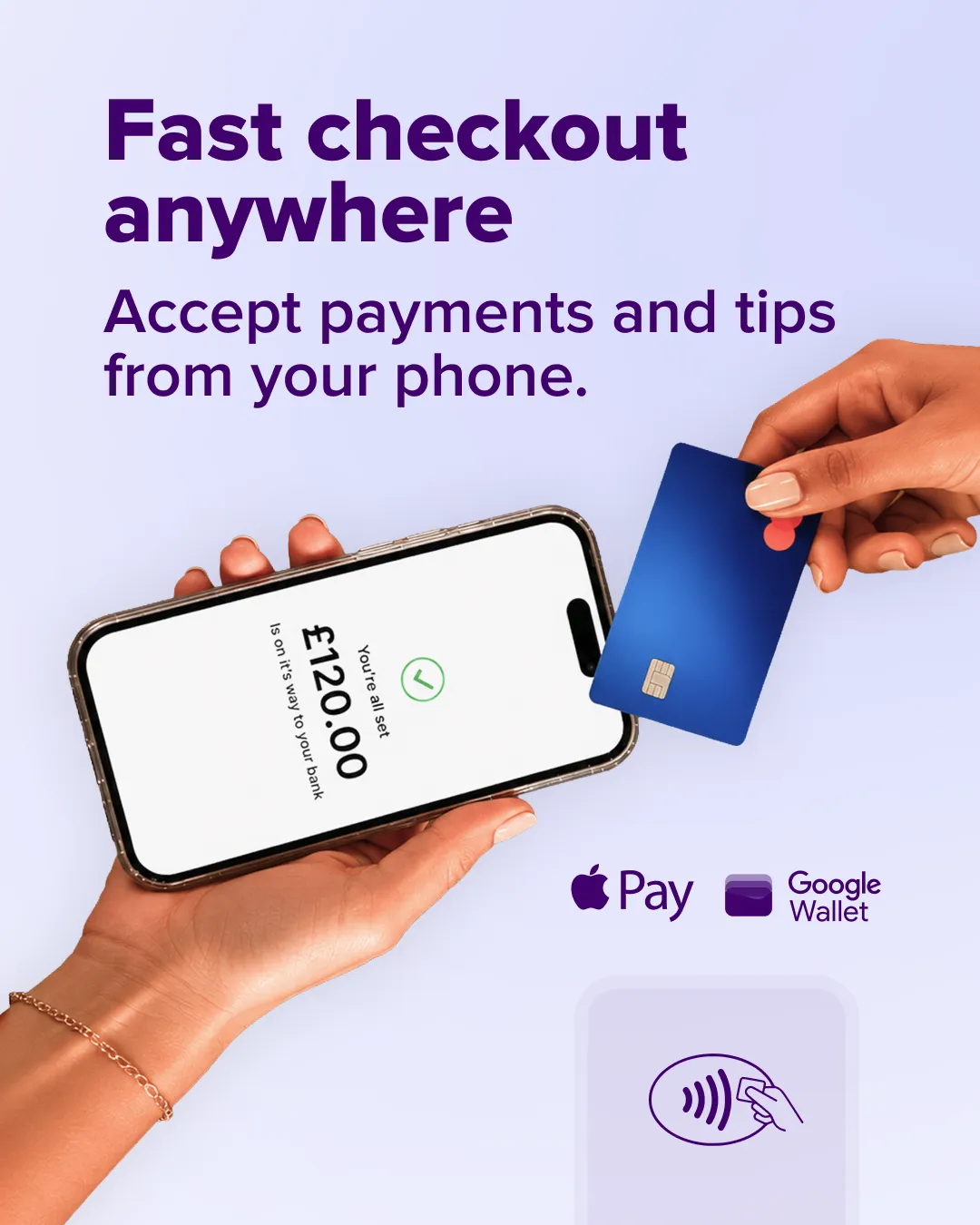
Tap 2 Pay

Pay On The Go

  • Take payment directly from your iPhone or Android
  • No card reader required
  • 2.1% + $0.10

Hand holding a smartphone displaying a payment confirmation of £120.00 with the message 'You're all set. Is on its way to your bank.' Another hand is holding a blue contactless payment card near the phone. Text above reads 'Fast checkout anywhere. Accept payments and tips from your phone.' Apple Pay and Google Wallet logos are shown below.Person wearing a dark pinstripe jacket and rings fingers on the left hand, using their index finger to interact with a digital calendar or scheduling app displayed on a tablet with a black case, on a wooden floor background.

“With this machine everything is done for you”

Hear from Edward, owner and business guru, why he swapped his old WorldPay card machine for SlickPay to speed up daily close out and his reporting

Edward Hemmings | Alan D Hair
Watch Edward’s video

Online payments

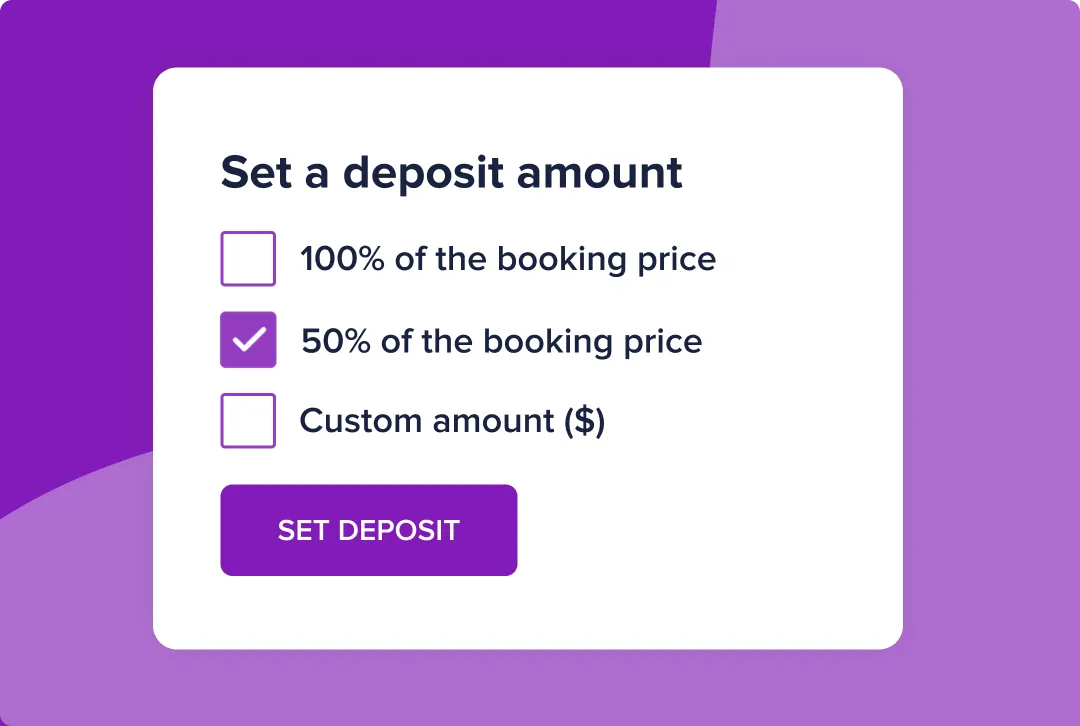
User interface panel titled 'Set a deposit amount' with three options: 100% of the booking price, 50% of the booking price (selected with a purple checkmark), and custom amount ($); below is a purple button labeled 'SET DEPOSIT'.
Deposits & no-show protection

Use SlickPay to automatically take deposits when clients book online to stop no-shows. Or use our card capture system to hold card details to charge a card if your client doesn't attend.

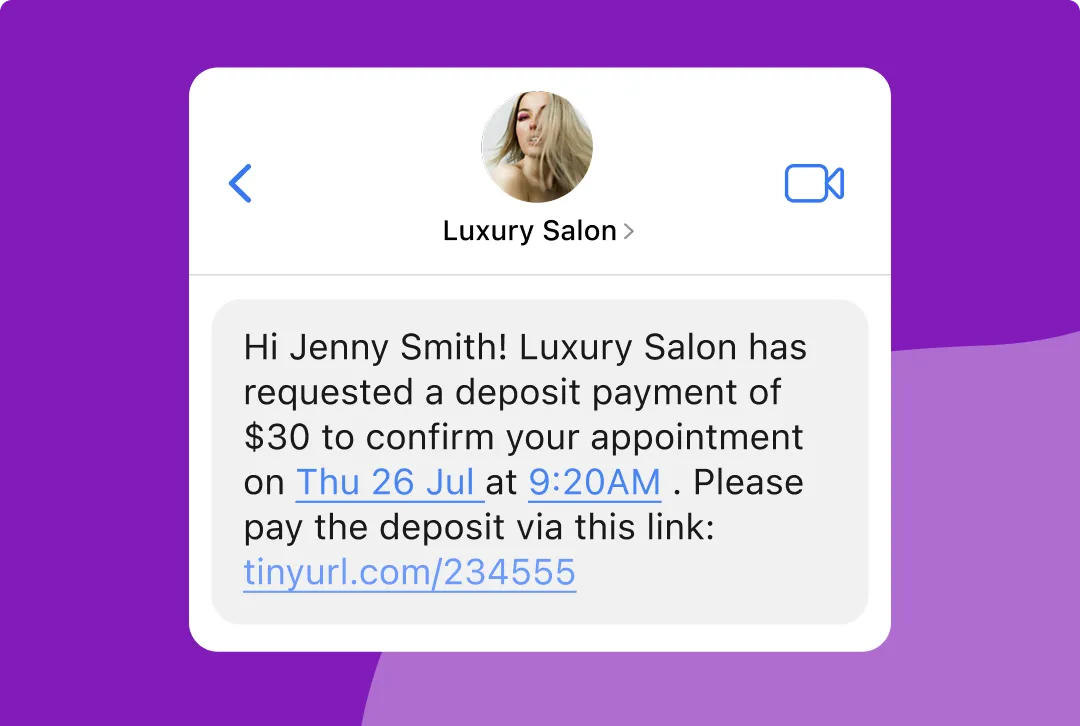
Screenshot of a text message conversation from Luxury Salon with a circular profile photo of a blonde woman. The message reads: Hi Jenny Smith! Luxury Salon has requested a deposit payment of $30 to confirm your appointment on Thu 26 Jul at 9:20AM. Please pay the deposit via this link: tinyurl.com/234555.
Request deposits via SMS

Receptionists hate asking for money, and Slick makes deposit taking as easy! We can send your client a secure SMS with payment link. More secure than payment over the phone and less awkward.

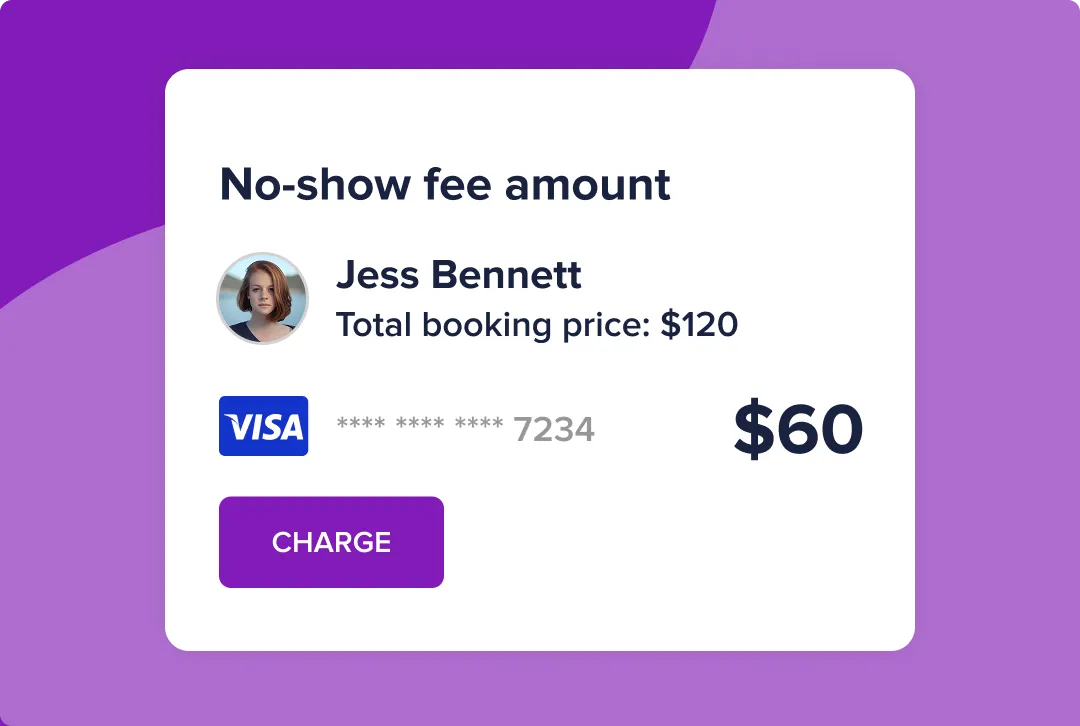
User interface card showing a no-show fee amount for Jess Bennett, with total booking price of $120, a Visa card ending in 7234, and a charge amount of $60 with a purple 'CHARGE' button below.
Insurance against no-shows

Require a deposit or save a card on file when clients book online — so if they don't show up, you still get paid. No awkward conversations, no chasing people down. Clients enter their details once at booking, and if they cancel last minute or don't show, you can charge the saved card directly.

Seamless payments from bill to cash-up

“I just love the way it’s all linked up with the system. It’s saved me HOURS!”

"With costs rising, it’s so important for us owners to track every penny and now I can! No more missing bills or incorrect amounts!.”

Kerry Dickson | Owner, Numero Dix Hair Salon
Read the story

Fixed fee of 2.1% debit & credit cards

Visa payment card company logo in blue capital letters.
Mastercard logo with two overlapping circles, a red circle on the left and an orange circle on the right, and the word 'mastercard' in lowercase black letters below.
Maestro payment card logo with two overlapping circles, a red circle on the left and a blue circle on the right, creating a purple intersection, with the word 'maestro' below in lowercase black letters.
American Express
Apple Pay logo with a black Apple icon followed by the word 'Pay' in black text.
Google Pay logo with a multicoloured 'G' followed by the word 'Pay' in grey text.


Video transcript

Salon owners: how much are you losing in credit card fees?

Salon owners, nobody tells you how much you're losing in card fees until you actually do the maths. So while I unbox some stock, I'm going to talk to you about it.

Payment processing fees aren't something we think about when choosing salon software. You think about the features, the booking flow and how it looks. You don't think, "Wait, what percentage are they taking on every single card transaction?"

I actually did the maths, and it turned out a lot of money wasn't going into my bank account. I switched to Slick because the payment processing fees are lower, and it shows up in my numbers every month. It's not a huge, dramatic difference, but it's money that now stays with me.

So if you're with any other software, it's worth taking five minutes to check your transaction rate, then compare it on Slick's website. It's a small percentage difference, but over hundreds of transactions, it really adds up.

Trusted by salons and barbers across the US
Black text logo with the word WINDLE above a horizontal line and LONDON in bold underneath.
Gold-colored stylised silhouette of a man's bearded profile above the word 'PORTERS' in uppercase gold letters.
Text logo reading 'MARC ANTONI' in large uppercase serif font with 'HAIR SALONS' in smaller spaced uppercase sans-serif font below.
Orange stylised lowercase letter 'b' logo next to the word 'bang' in matching orange rounded lowercase letters.
The word 'PANKHURST' in uppercase serif font above a thin horizontal line, with the word 'LONDON' in uppercase serif font below the line.
The word 'idlewild' with the first letter 'i' in red and the rest in black typewriter-style font, accompanied by a red circular text reading 'Understanding the philosophy of heidexsang'.

FAQs

How easy is SlickPay?

Very! Click here to watch a short video to see how taking payment is well....Slick!
How much does it cost?

SlickPay POS and Tap to Pay transaction charges are 2.1% + $0.10 for all card types. SlickPay Online transaction charges are 2.7% + $0.10 per transaction for all card types.  

What card brands are supported?

Visa, Mastercard, American Express (Including Apple Pay, Google Pay, Samsung Pay, and contactless cards)

Does the terminal print paper receipts?

No, the SlickPay terminal doesn’t print receipts. However, you will be prompted after checkout to send an email receipt to your customer.

How long does the battery last?

The reader has energy saving functionalities to save on battery life when not in use. With a full charge but aggressive usage, it is expected to last ~ 8 hours (of continuous use). But we've seen the WisePOS E last as long as 15 hours under minimal usage.

Does SlickPay allow for ‘over the phone’ payments?

Yes, you can send a deposit request link via SMS to take either part or full amount of the service. This will be charged at the online rate of 2.7% + $0.10 because the customer isn’t present.  

Order your SlickPay card reader

Easy, fast and error-free payments linked to your Slick calendar

$179 +tax

One-time payment

We use cookies to improve your experience and analyze how our site is used. This includes essential cookies for site functionality, plus additional analytics and marketing cookies. Select 'Accept' to allow all cookies or view our Privacy Policy for more details.